Hi Guys... Welcome Back...!!!
I hope you are liking the posts and finding them helpful, keep supporting.
As you know here we always talk about tricks, so we are back with a new trick to remove Facebook Search History.
I feel you guys already know that Facebook keeps track of whatever you search on it. That may be games, friends, girlfriend, ex-girlfriend.
But Facebook Knows ALL of your secrets...!!!
Here is the trick to delete your Facebook search history by following few steps.
Steps To Follow :-
1) Login to your Facebook account.
2) Go to your profile by clicking on your name near to home button or directly opening www.facebook.com/<your_user_name>.
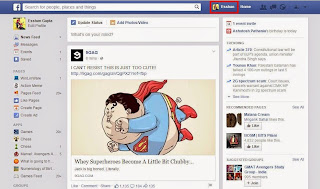
3) Click on View Activity Log.

4) Then click on More option in left frame of the page.

5) Click on Search option from the extended list in left frame of the page.

6) .You will find all the thing which you have searched in your past. You can delete all by clicking on Clear Search option.


Bingo...!!!
Enjoy...!!!
-
Love,
Winlinware
I hope you are liking the posts and finding them helpful, keep supporting.
As you know here we always talk about tricks, so we are back with a new trick to remove Facebook Search History.
I feel you guys already know that Facebook keeps track of whatever you search on it. That may be games, friends, girlfriend, ex-girlfriend.
But Facebook Knows ALL of your secrets...!!!
Here is the trick to delete your Facebook search history by following few steps.
Steps To Follow :-
1) Login to your Facebook account.
2) Go to your profile by clicking on your name near to home button or directly opening www.facebook.com/<your_user_name>.

3) Click on View Activity Log.

4) Then click on More option in left frame of the page.

5) Click on Search option from the extended list in left frame of the page.

6) .You will find all the thing which you have searched in your past. You can delete all by clicking on Clear Search option.


Enjoy...!!!
-
Love,
Winlinware


